AdPunch.co · Free DTC Creative System
An endless supply of static Meta ads for your brand, free
A system that researches your brand from your own customer reviews and running ads, then generates the creative. Runs on your machine. You keep everything.
assets/ads/ad-1.jpg
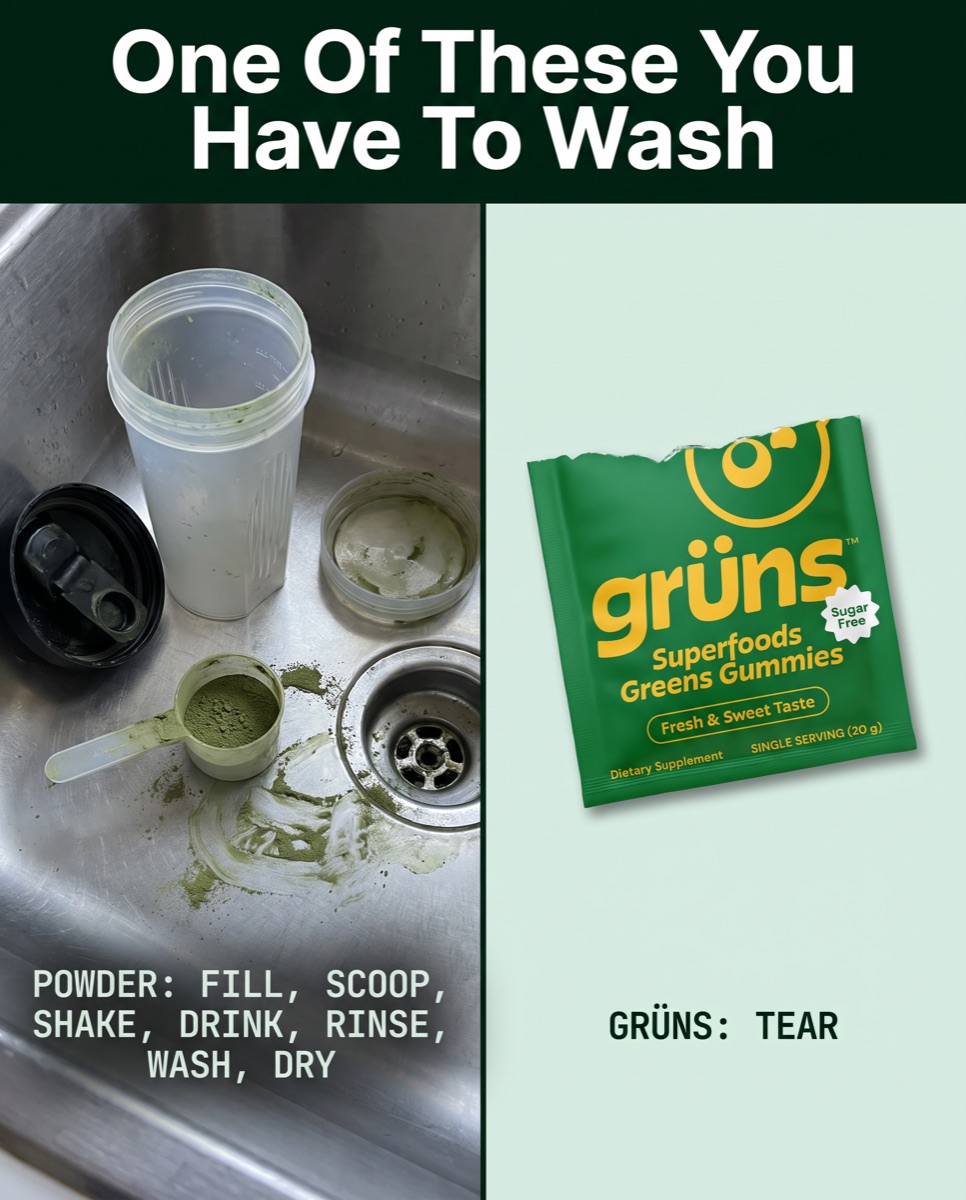
assets/ads/ad-2.jpg
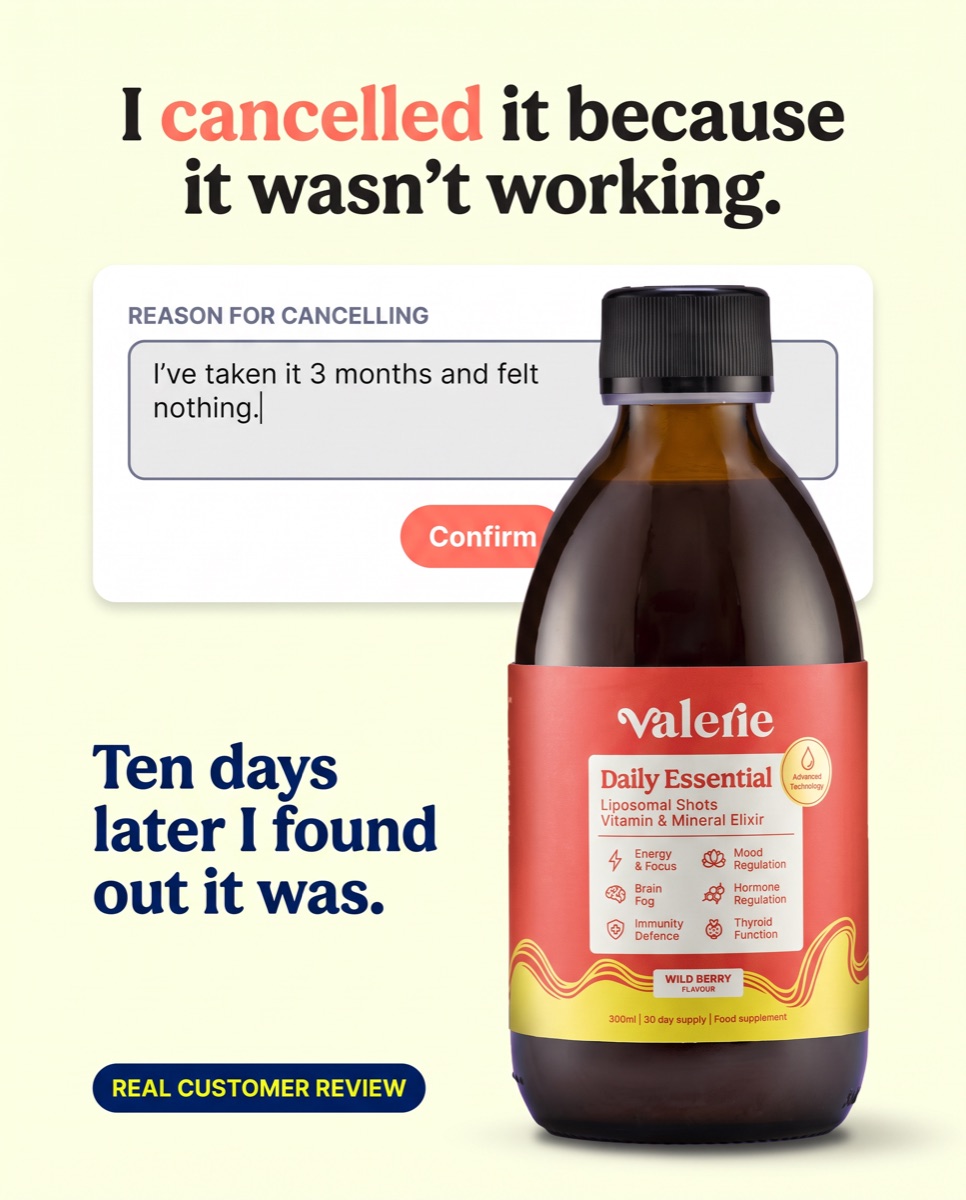
assets/ads/ad-3.jpg
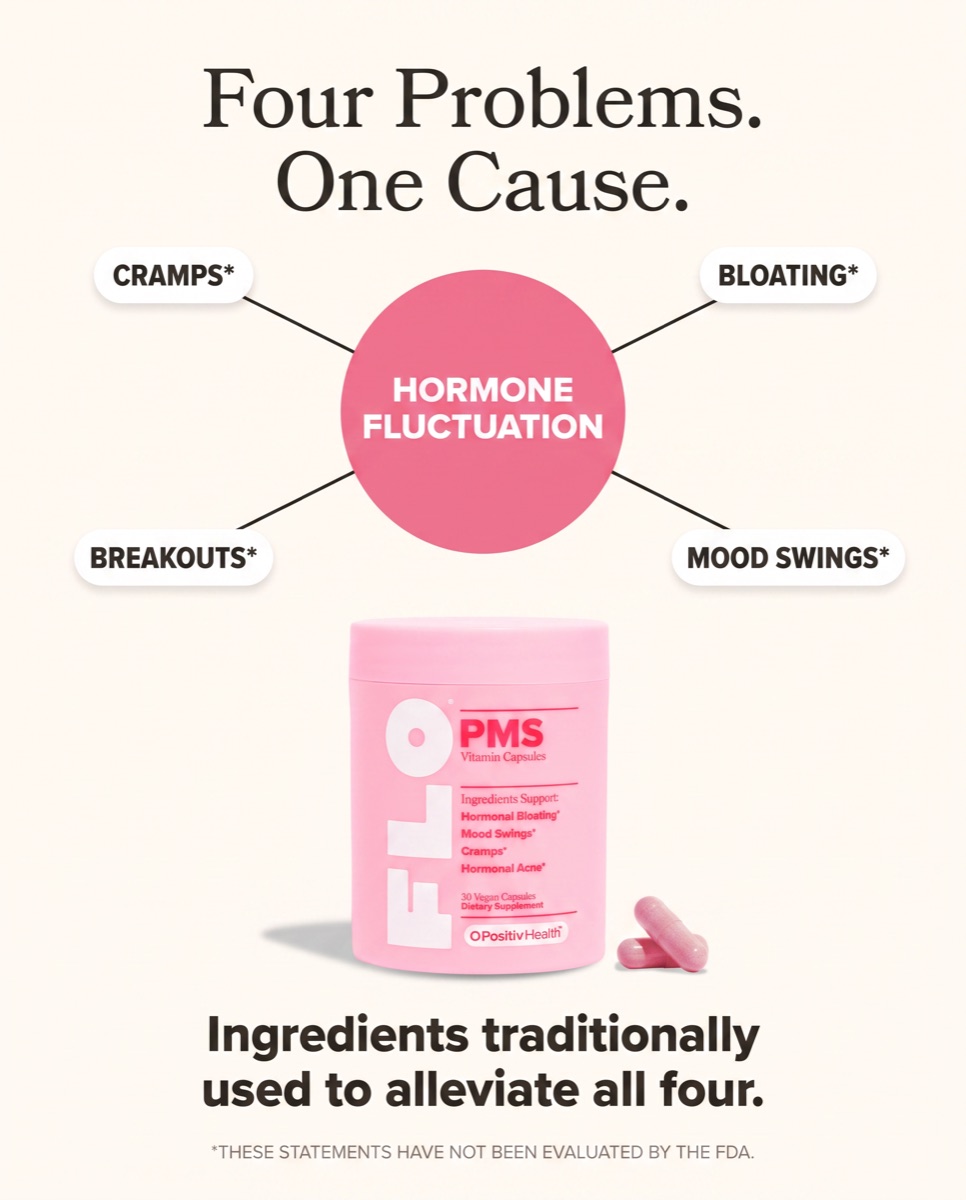
assets/ads/ad-4.jpg
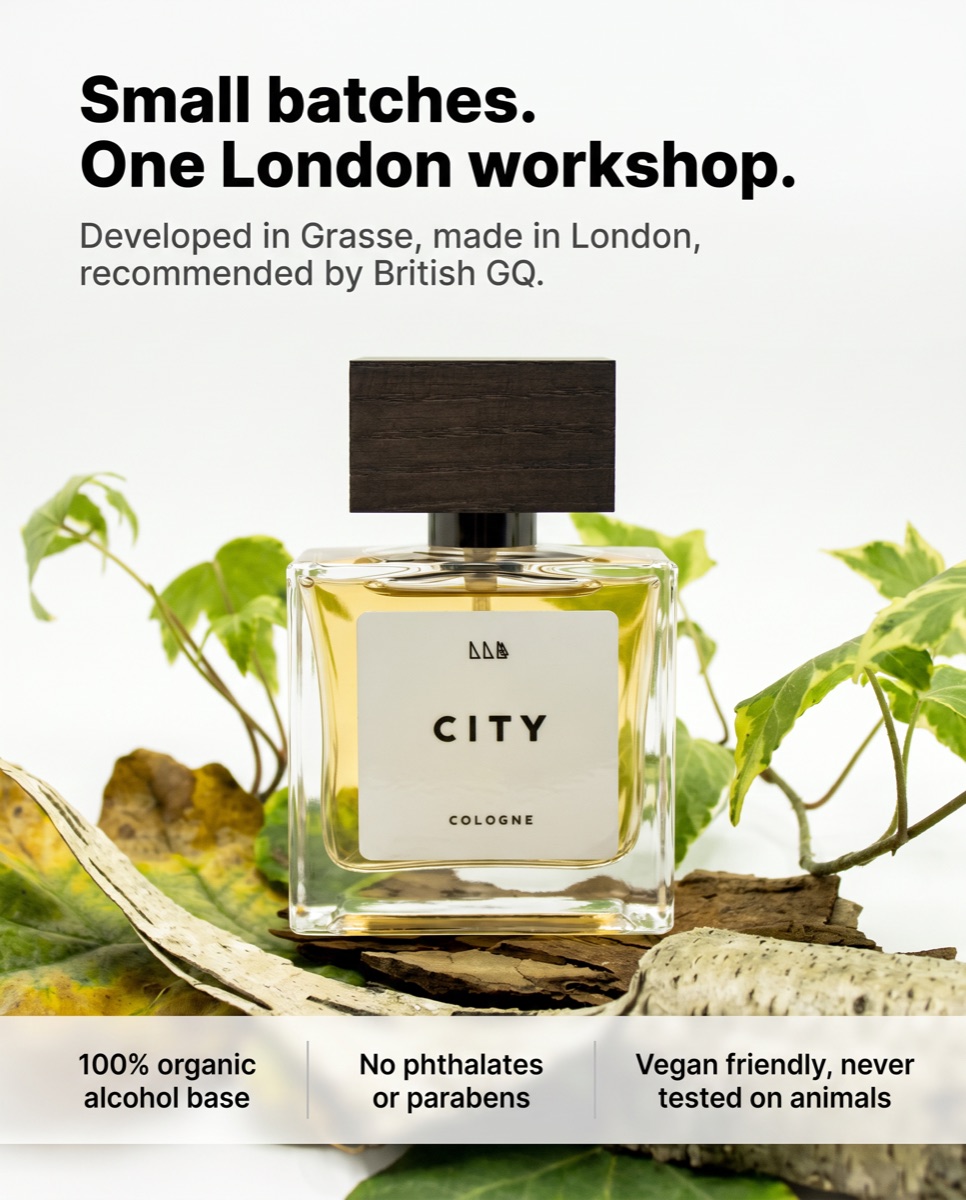
Real output from the system, generated during testing.
- A machine that makes static ads on demand, not a fixed pack Run it as often as you want. Six ads today, sixty next week. The only limit is what you top up your image credits with.
- Built on your real customer reviews, not generic AI copy It reads how your customers actually describe the product and writes from that.
- Matched to the fonts and colours your brand actually runs in feed It reads your live ads and your product page, then builds to what is already working.
- Yours to keep, no subscription, no credits, no watermark The whole system sits in a folder on your machine and runs on your own accounts.
| Account | Cost |
|---|---|
| Claude subscription, Pro or above | Required to run it |
| SegMind | Cents per image |
| Cloudflare R2 | Free tier is ample |
| Apify | Optional |
Image generation is the only variable cost and it runs to cents per ad. There is no software fee because there is no software company. It runs on your own accounts, so the volume you produce is entirely your call.
Step 1
Download and unzip the folder
Rename it to your brand, for example mybrand-studio. Put it anywhere you like.
Step 2
Open the folder in Claude Code
Install the Claude desktop app and sign in. Click the Code tab, choose Local, then select the folder you just unzipped.
Step 3
Create your accounts
Cloudflare R2 stores your images, SegMind generates them. Both take a few minutes. Apify is optional and only reads your live ads. Keep every value you copy below in one note, you will paste them into the starter prompt in step 4.
Cloudflare R2
Stores the images. Free tier is ample.
Sign up
- Go to cloudflare.com, create an account, then verify the email.
- Open the dashboard and find R2 Object Storage in the left sidebar.
- The first time you use R2, Cloudflare asks for a payment method. The free tier is generous, 10GB of storage plus free egress, but a card is usually required to activate the service.
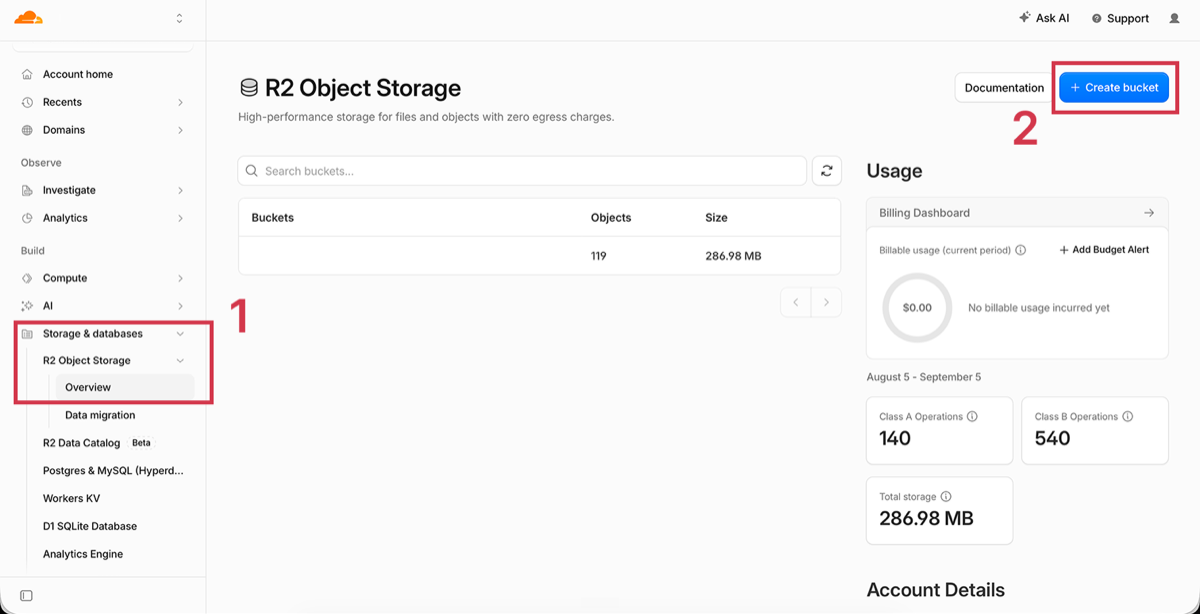
Tap the image to open it full size.
Create the bucket
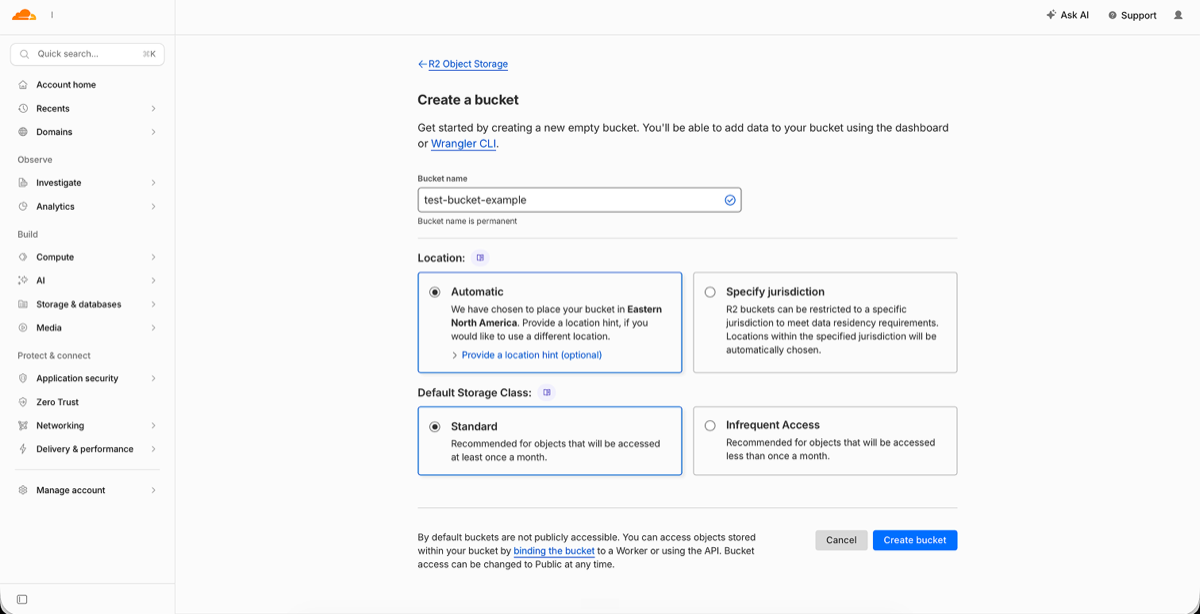
- Click Create bucket.
- Name it, for example
mybrand-ads. Lowercase letters, numbers and hyphens only. - Leave the location as Automatic, then click Create bucket.
Turn on public access
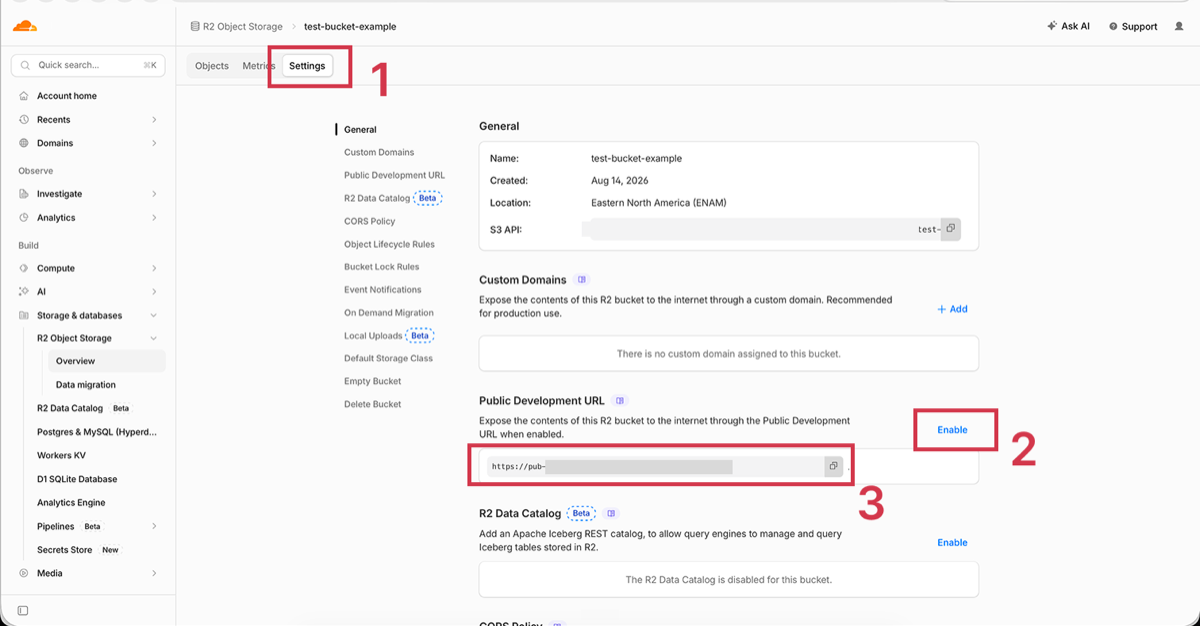
- Open the bucket and go to the Settings tab.
- Scroll to Public Development URL and enable it.
- A popup asks you to confirm. Type
allow, then press Allow. - Copy the
pub-xxxxx.r2.devURL.
Get the API token
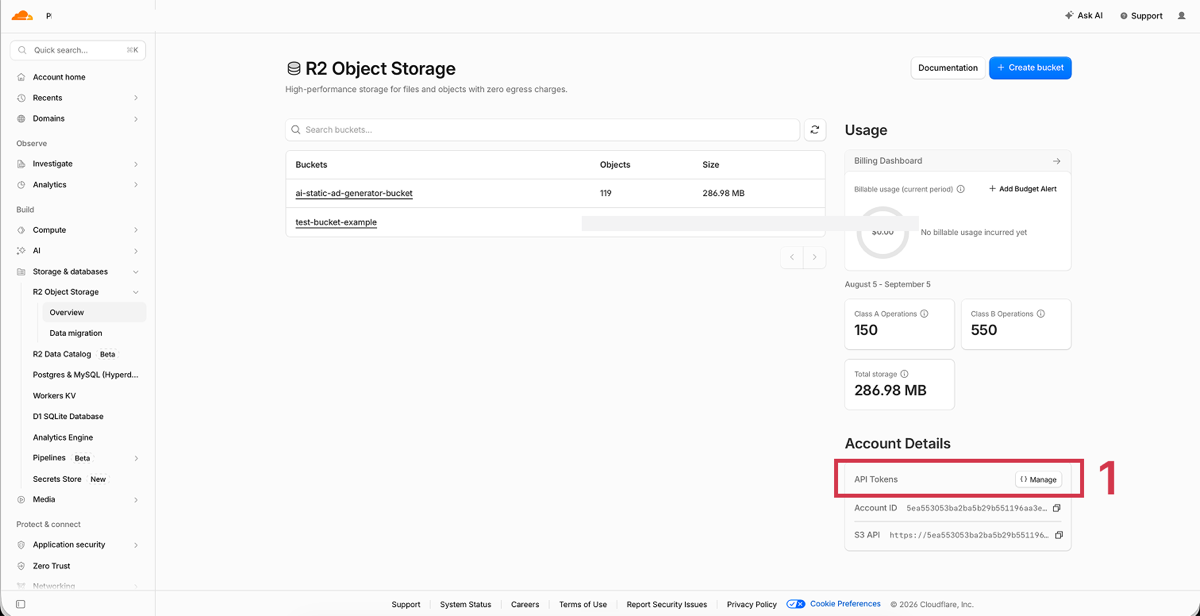
- Go back to R2 Object Storage, Overview.
- In the right sidebar under Account Details, click Manage.
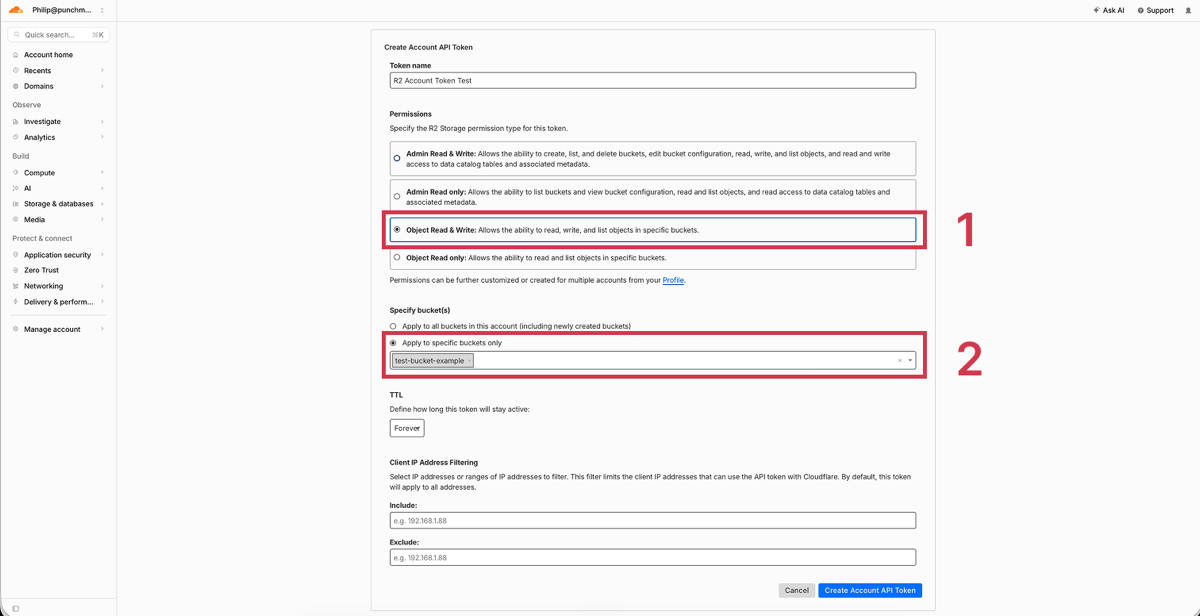
- Click Create API token.
- Name it, select Object Read and Write for permissions, then scope it to your bucket.
- Copy the Access Key ID and the Secret Access Key now. You cannot view the secret again once you close the dialog.
Get the account ID
- On the R2 Overview page, the Account ID is in the right sidebar. Copy it.
The five values you should now have
- R2_ACCOUNT_ID
- R2_ACCESS_KEY_ID
- R2_SECRET_ACCESS_KEY
- R2_BUCKET
- the name you gave the bucket
- R2_PUBLIC_BASE_URL
- the pub-xxxxx.r2.dev URL, no trailing slash
SegMind
Generates the images. Cents per ad.
- Go to segmind.com and create an account.
- Go to Developer, then API Keys, and create a new key.
- Copy the key and save it with your Cloudflare values.
- Go to Billing, then Recharge, and top up the minimum of 10 US dollars. That is plenty for testing.
The value you should now have
- SEGMIND_API_KEY
Step 4
Paste the starter prompt
Your keys go in the first message. Claude sets everything up itself.
Just make me ads
Claude researches your brand and produces six ads. You approve the plan, then it runs. About twenty minutes. Run it again whenever you want another batch.
Read SKILL.md and follow it.

My brand: [brand name]
My product page: [URL]

Here are my keys, please set them up for me:
SEGMIND_API_KEY=
R2_ACCOUNT_ID=
R2_ACCESS_KEY_ID=
R2_SECRET_ACCESS_KEY=
R2_BUCKET=
R2_PUBLIC_BASE_URL=
APIFY_API_TOKEN=

MODE: FAST

Run the Part 0 setup check and tell me if anything's wrong before
doing anything else.

Then research my brand and make me 6 ads. Show me the plan before
you generate them. Don't ask me anything in between.

Anything else you should know: [customer reviews, ads that have
worked, things to avoid, or leave blank]
Walk me through it
Claude offers you three options at every decision: who the ad targets, the angle, the format, the copy. Slower, better ads, and you learn the reasoning.
Read SKILL.md and follow it.

My brand: [brand name]
My product page: [URL]

Here are my keys, please set them up for me:
SEGMIND_API_KEY=
R2_ACCOUNT_ID=
R2_ACCESS_KEY_ID=
R2_SECRET_ACCESS_KEY=
R2_BUCKET=
R2_PUBLIC_BASE_URL=
APIFY_API_TOKEN=

MODE: GUIDED

Run the Part 0 setup check and tell me if anything's wrong before
doing anything else.

Then research my brand and stop when you've got personas and
angles so I can look at them.

After that, walk me through each ad one decision at a time. Three
options each, explained in plain language.
It says my bucket is not public but I know it is
Cloudflare blocks requests that do not look like a browser. Open the URL it printed in a new tab. If the file loads, you are fine. Tell Claude what you saw and it will work around it.
The ads look like my website, not my customers
You have not given it your reviews. Export them from your review app and drop the file into the chat. It is the single biggest jump in quality available.
The product label came out garbled
Tell Claude. It rebuilds the prompt from scratch. Never ask it to keep everything and just fix one part, these models have no memory of the last attempt.
This system is a small piece of what we run at scale for brands spending six figures a month on Meta. We will pull apart your full acquisition engine and show you exactly where the biggest growth levers are hiding.
1
Ad Account Audit
Account structure, targeting, budget allocation and testing cadence reviewed against what is working in your category.
2
Creative Strategy Audit
A breakdown of your current angles, hooks and creative mix, with the gaps and opportunities we would attack first.
3
Profit and Unit Economics
Contribution margin, blended CAC, net new creative requirement and a profitability projection showing what is possible at scale.
Book your audit call now ↓